Fee challans that carry their own arrears. Board registration checked before you submit it. Parents told on WhatsApp. One system, built for how schools here actually run — not a foreign product with rupees bolted on.
Works on any laptop with a browser. Nothing to install. Your school’s data stays yours.
One screenbills a whole class for the month
Automaticarrears and late fines
Every rowchecked before the board sees it
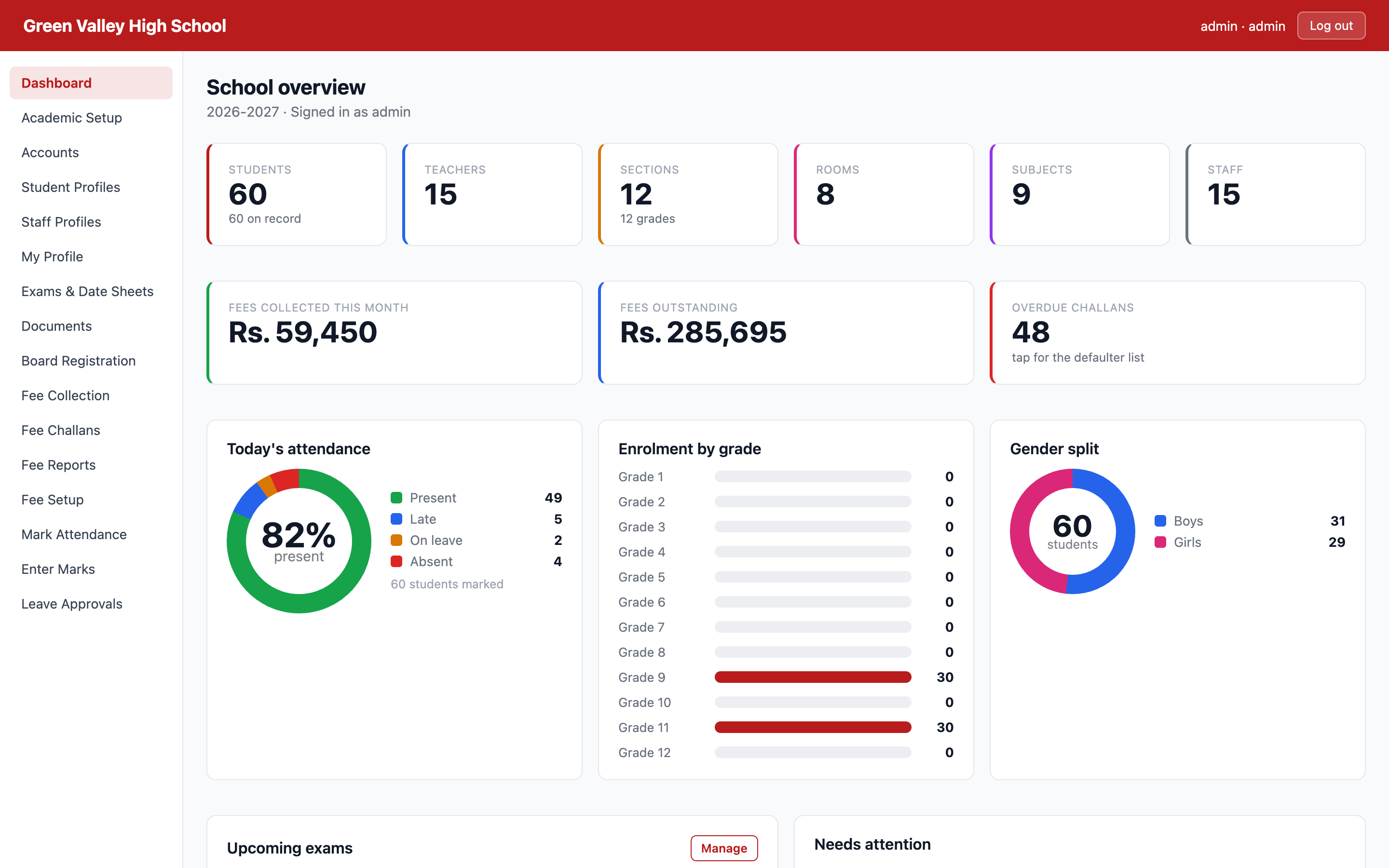
localhost — School overview
The real cost of paper
Three places a school office loses money without noticing
Not because anyone is careless — because the register cannot add up, cannot check itself, and cannot answer a parent at 9pm.
Every month
Arrears live in somebody’s head
The fee register says who paid. Working out who still owes from March — plus this month, plus the fine — is somebody sitting with a calculator, and it is wrong often enough that money quietly goes uncollected.
Unpaid balance is carried onto the next challan automatically.
Once a year
One wrong B-Form, one rejected candidate
Board registration is typed into the board’s own spreadsheet by hand, from files that are half-filled. A wrong CNIC or a missing date of birth is found by the board, not by you — after the deadline.
Every row is checked against the board’s rules before the file leaves your office.
Every day
The office phone is the fee reminder
Parents ring to ask the fee, the date sheet, the result, whether their child was marked absent. Each call is a clerk stopping what they were doing, and a parent who feels the school is disorganised.
Challan, receipt, result and date sheet reach the parent on WhatsApp.
Fee management
Bill a class in a minute. Never chase a figure again.
Set what each grade pays once. After that, generating the month’s challans is choosing a month and pressing a button — for one section or the whole school.
Arrears carry themselves forward. April unpaid becomes a line on the May challan, and April’s slip is closed so nobody can pay the same money twice.
Late fines are worked out for you — per day, flat, or a percentage, with grace days and a ceiling so a forgotten challan never grows past the fee.
Sibling discounts found automatically. The system matches families on the father’s CNIC and proposes the discount; you approve it.
Preview before you commit. See exactly what each child will be billed — and who would be skipped, and why — before a single slip is printed.
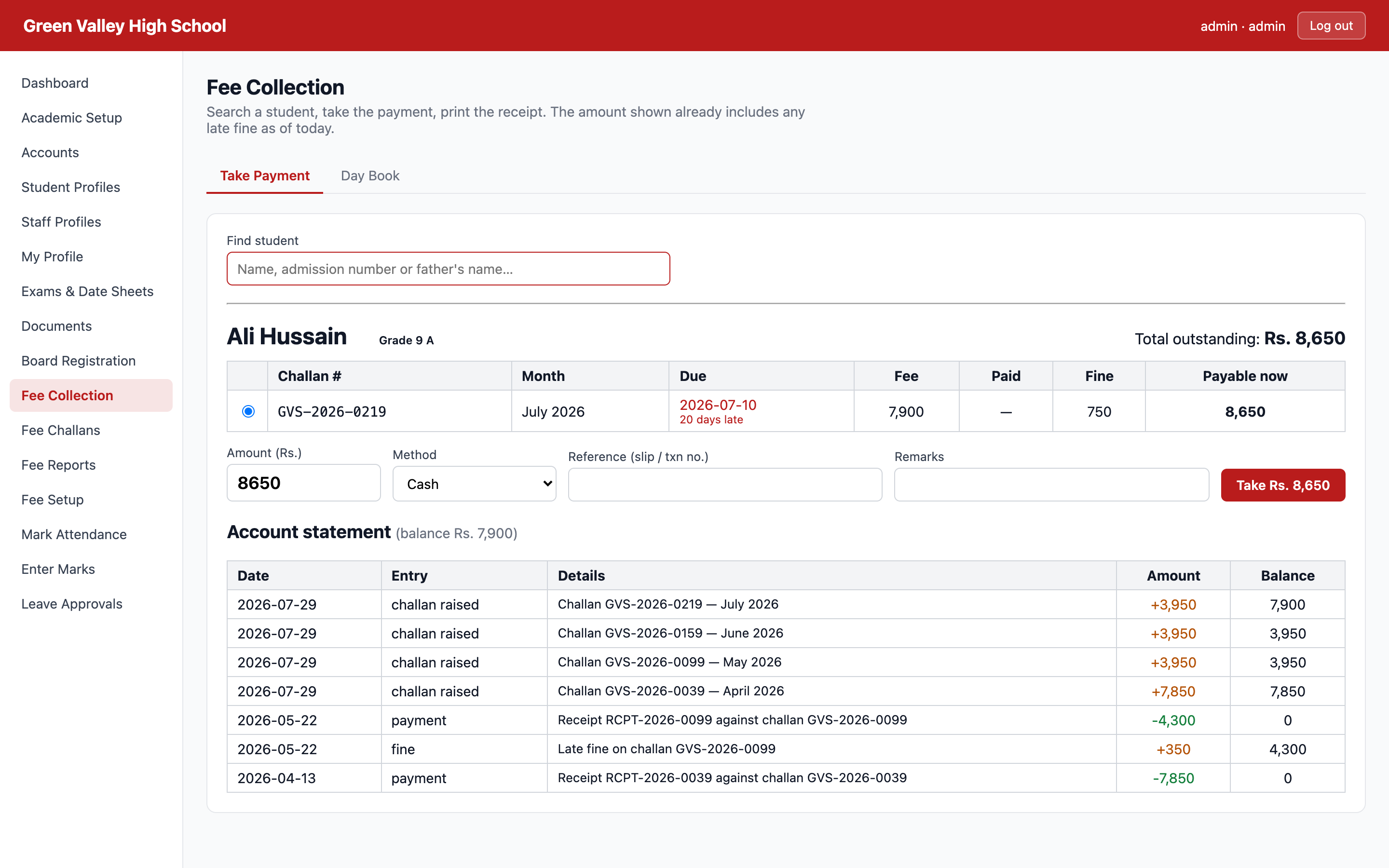
The counter screenSearch a child, see what’s owed including today’s fine, take the money, print the receipt. Built for a clerk with a parent standing in front of them.
Fee Collection — Take Payment
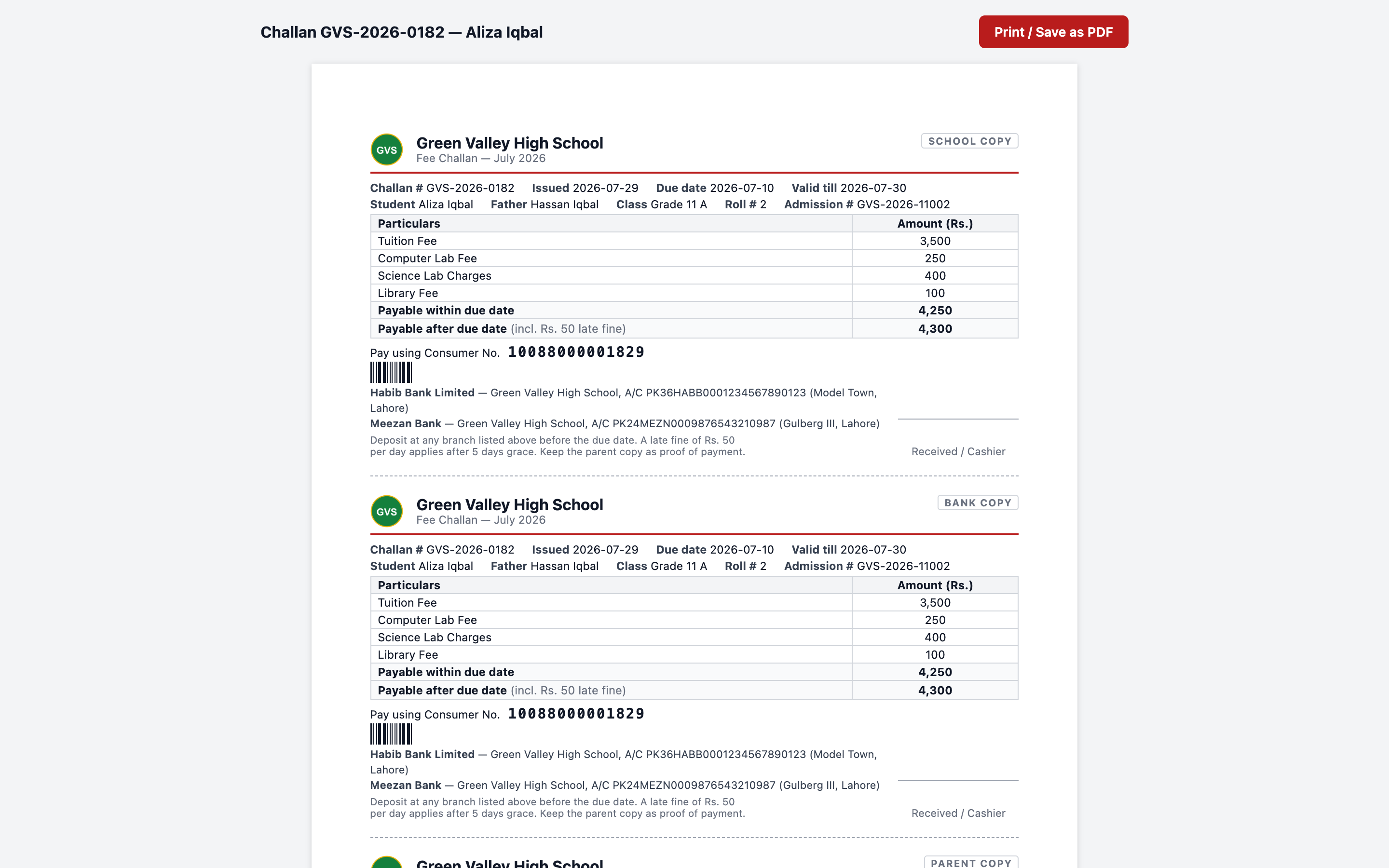
Printed challan — 3 copies
School, Bank and Parent copy on one A4 — with your bank accounts, a consumer number and a barcode.
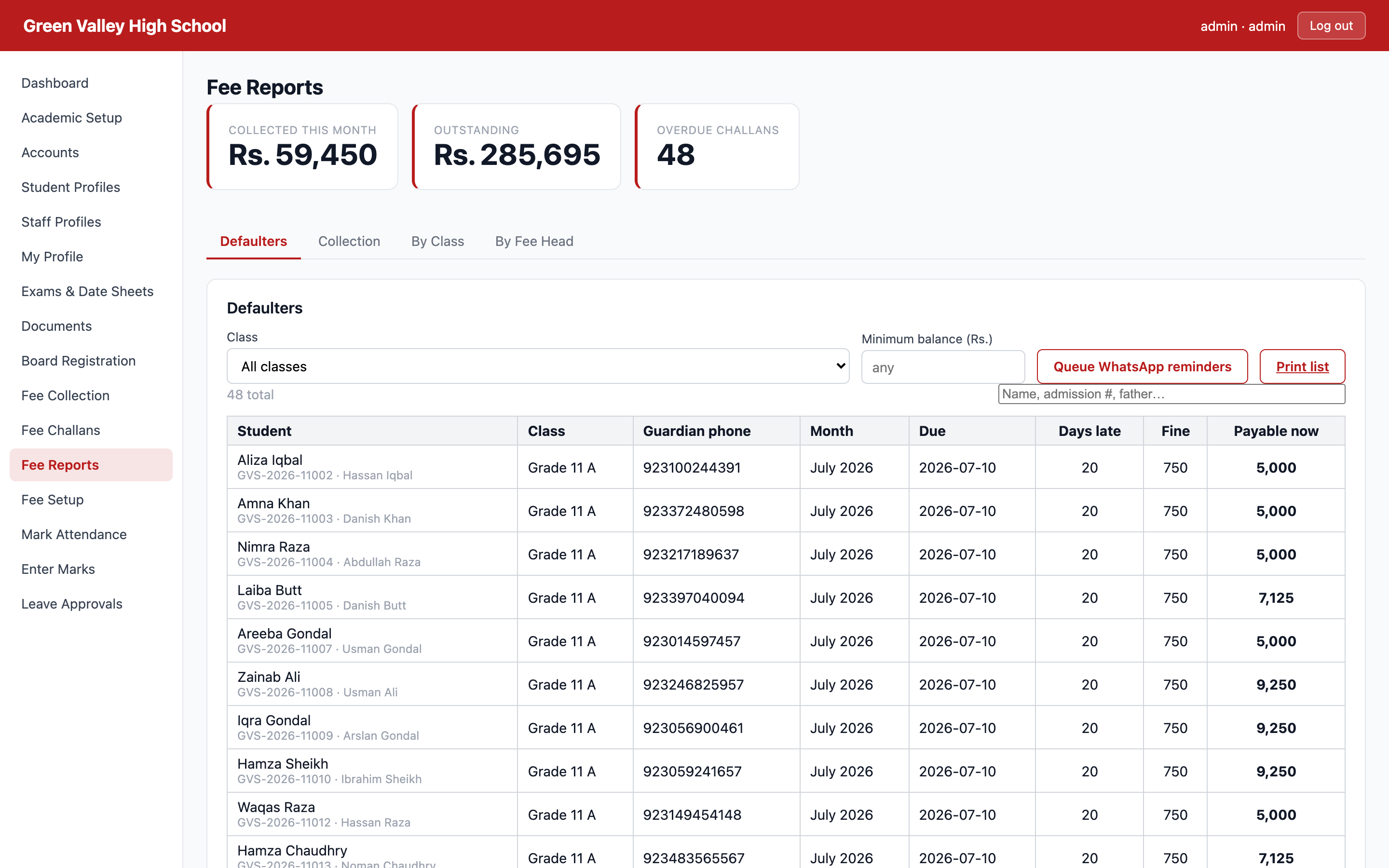
Fee Reports — Defaulters
Who owes, how many days late, and the guardian’s number — ready to call or print.
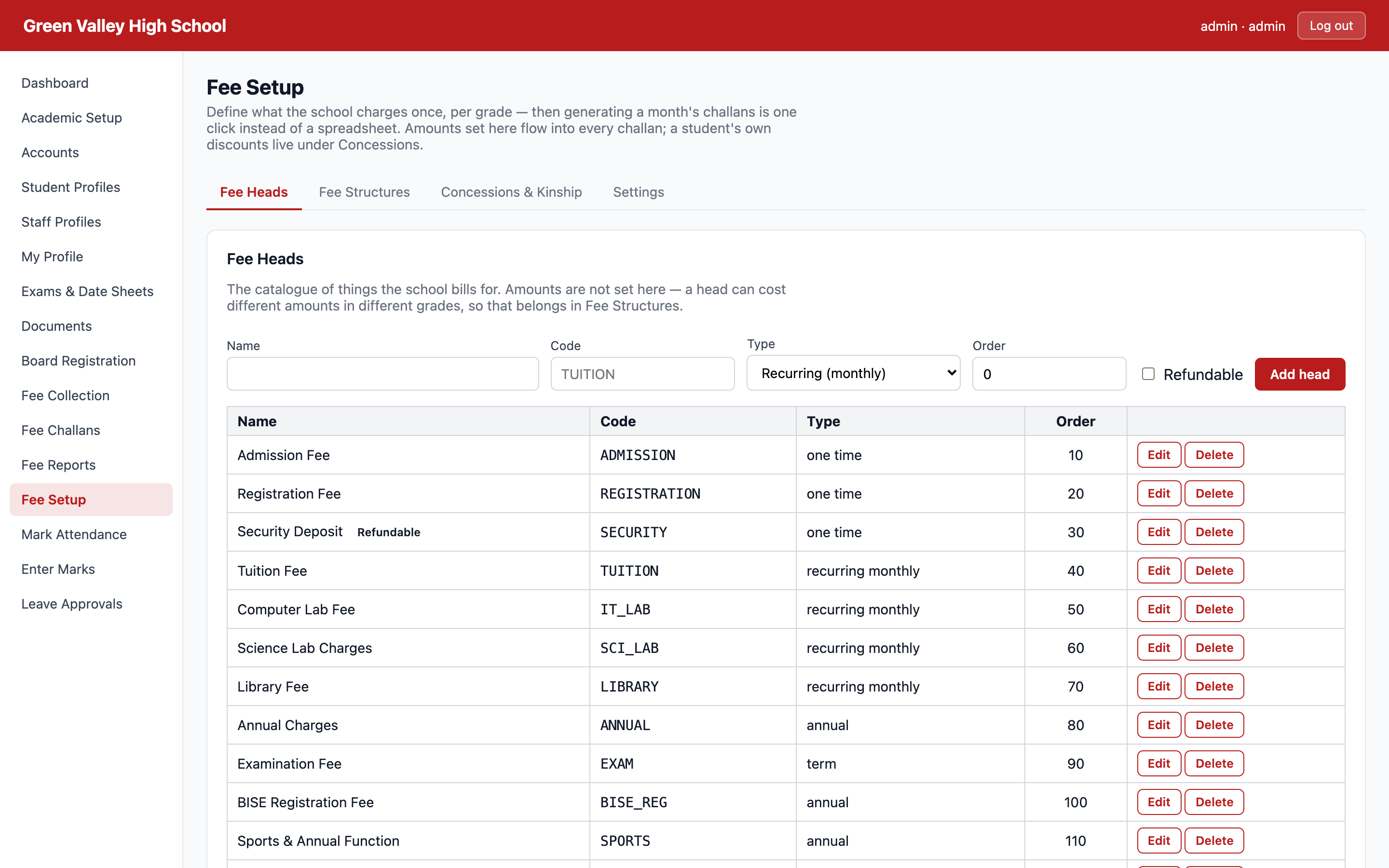
Fee Setup — Fee Structures
Your fee sheet, entered once per grade — including fees charged only in certain months.
BISE board registration
Catch the wrong B-Form before the board does.
Upload the board’s own registration file, map your student fields onto its columns once, and set the rules it must satisfy. Then every batch you build is checked against those rules before it leaves your office.
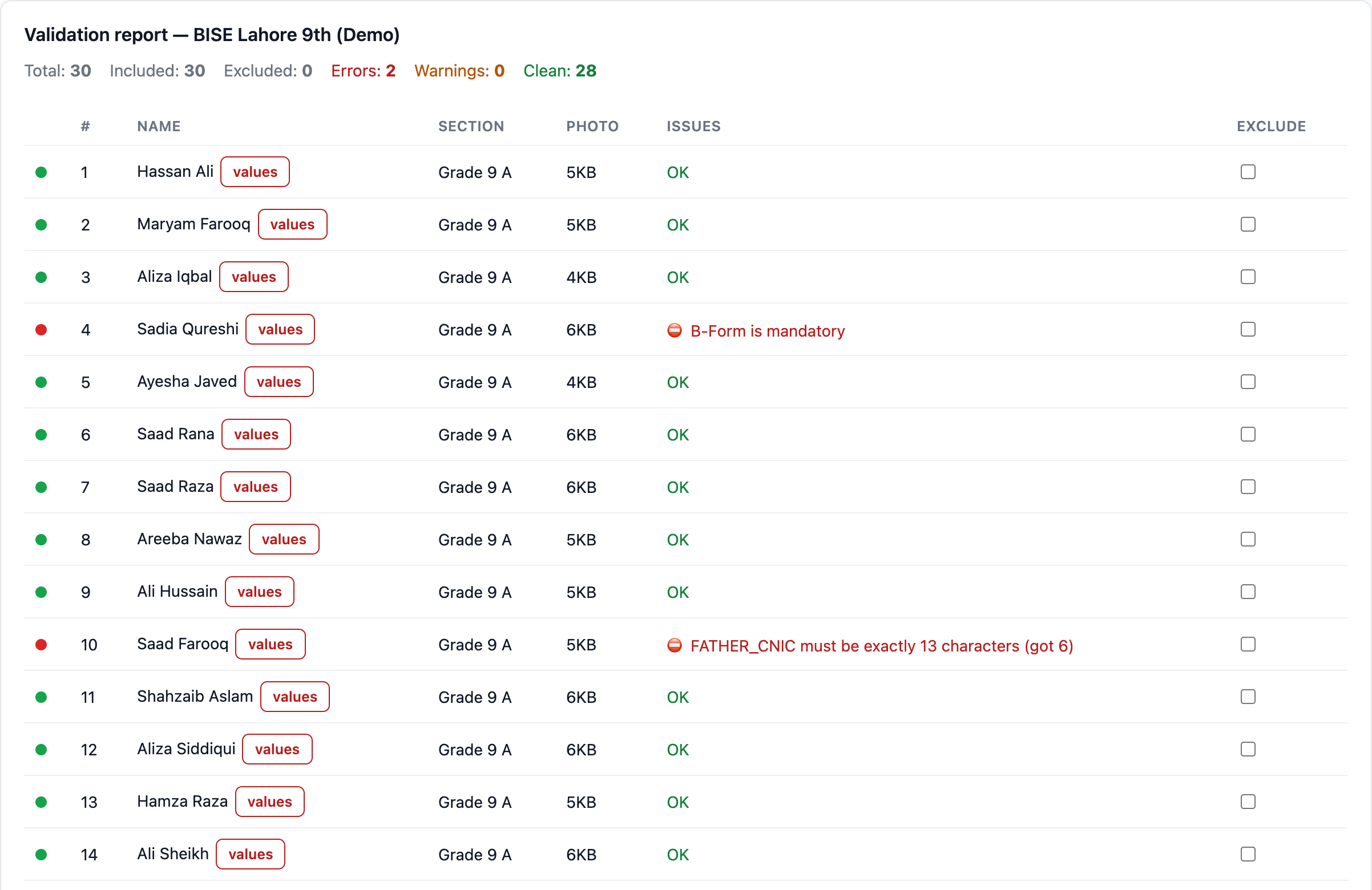
Errors block the export. A missing B-Form or a 6-digit CNIC stops the file being produced at all — you fix it while there is still time.
Your fields, their columns. Names uppercased, CNICs stripped to digits, dates reformatted, gender and religion mapped to the board’s codes — automatically.
Photos renamed and resized to the board’s size limit, packed into the same ZIP as the filled sheet.
Works with any board. Nothing is hardcoded to one BISE — change the template when the board changes its format.
Why this matters more than it soundsA rejected registration is a student who cannot sit the exam. Finding the mistake in your office costs five minutes; finding it at the board costs a year.
Board Registration — Validation report
Parents & students
The school that answers before the parent asks.
Every parent gets the challan, the receipt, the result and the date sheet on WhatsApp — from the school’s own number, with the office pressing send. Students sign in to see their own fees, results, attendance and timetable.
Fee challan issued — amount, due date and how to pay, the day it is generated.
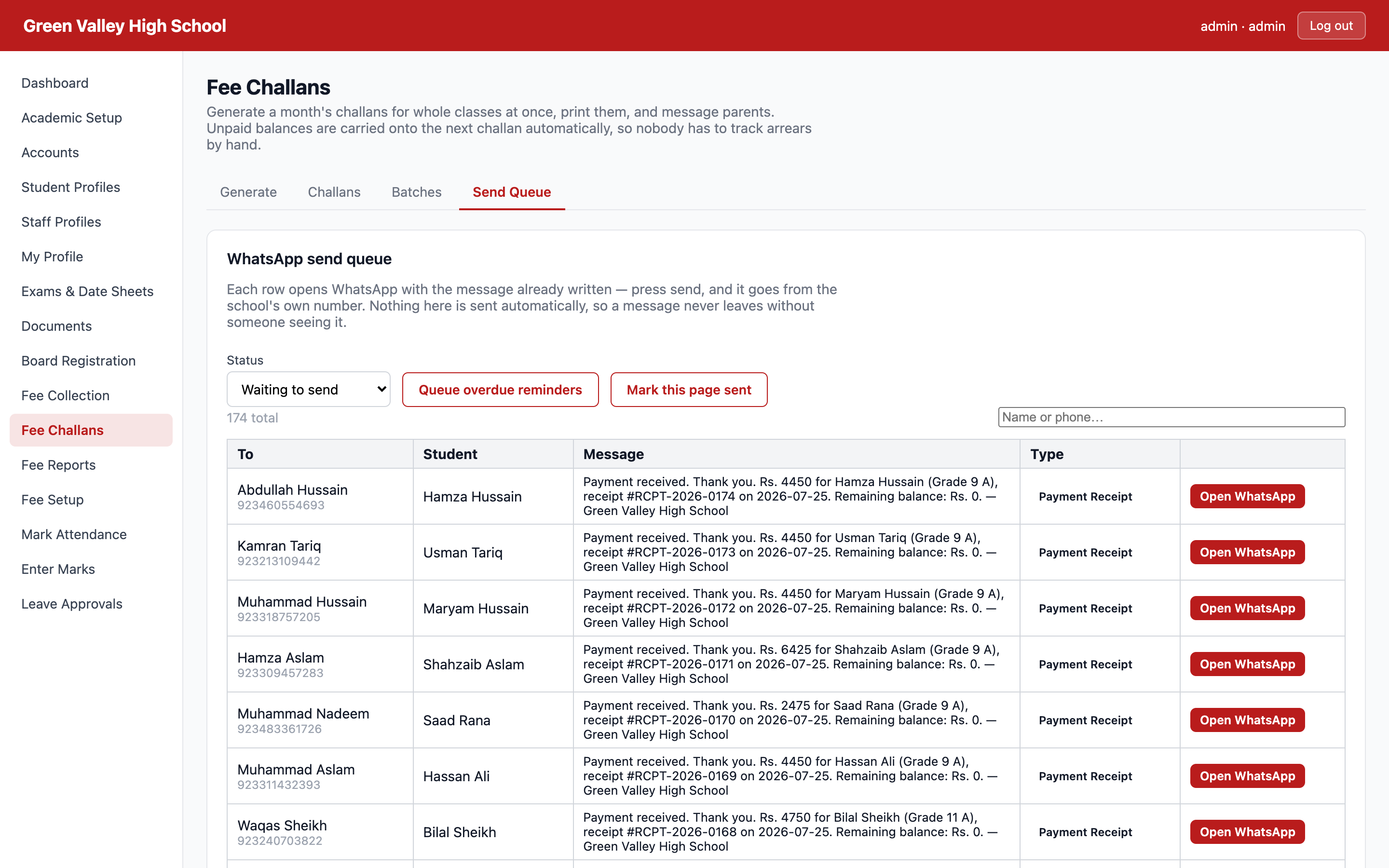
Payment receipt — sent the moment the money is taken, with the remaining balance.
Overdue reminder — with the fine included, so there is no argument at the counter.
Result cards, date sheets and leave decisions — printed, or opened by the student in their own login.
Nothing is sent behind your back. The office sees every message before it goes, and a parent who has just paid is never chased an hour later.
GREEN VALLEY HIGH SCHOOLDear Parent, fee challan for Aliza Iqbal (Grade 11 A) for July 2026 is Rs. 4,250. Due date: 2026-07-10. Challan #GVS-2026-0182.9:02 AM
GREEN VALLEY HIGH SCHOOLPayment received. Thank you. Rs. 4,450 for Hamza Hussain (Grade 9 A), receipt #RCPT-2026-0174. Remaining balance: Rs. 0.11:41 AM
GREEN VALLEY HIGH SCHOOLOverdue: fee for Waqas Bhatti (Grade 9 A) was due on 2026-07-10. Payable now including late fine: Rs. 8,600.4:15 PM
Fee Challans — Send Queue
One system, not five
Everything else the office does, in the same place
Fees and board registration are what schools call us about. This is what they keep using afterwards.
Daily attendance
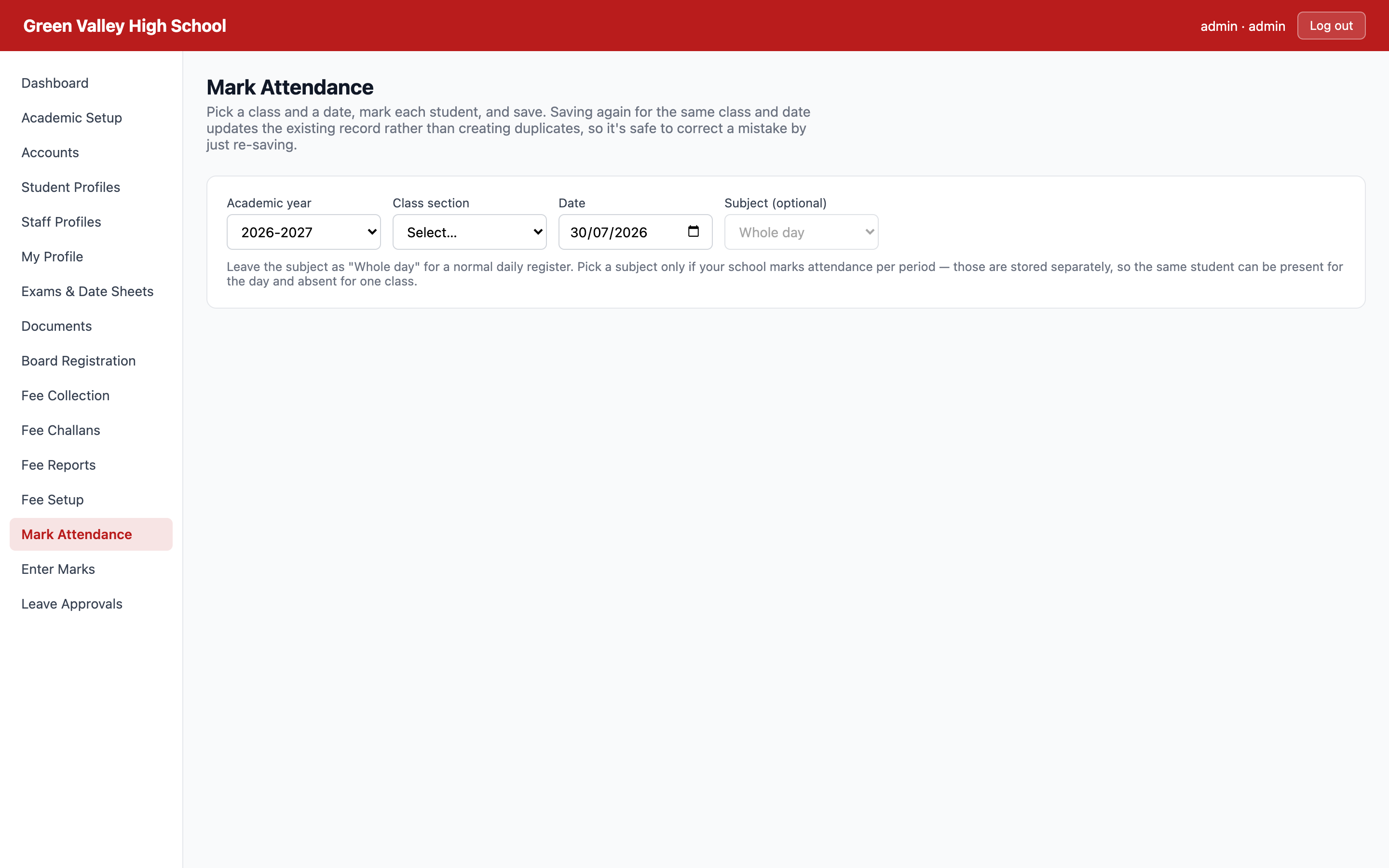
Class register marked in one screen, with a live percentage per student and per class.
Timetable
A days-by-periods grid that refuses to double-book a teacher, a section or a room.
Exams & date sheets
Date sheets with clash checking, marks entry by subject teacher, and result cards ready to print.
Documents & ID cards
Student ID cards, school leaving and character certificates with your logo, principal signature and serial numbers.
Student & staff records
Admission numbers generated to your own format, guardians, documents, photos, and every BISE field in one profile.
Leave applications
Students and teachers apply, the right person approves, and nobody loses a slip of paper.
Dashboards
Separate landing screens for the principal, the teacher and the student — each showing only what they act on.
Roles that mean something
A fee clerk collects money but cannot change fee amounts or reverse a receipt. Students see only their own record.
A look around
Real screens, real data
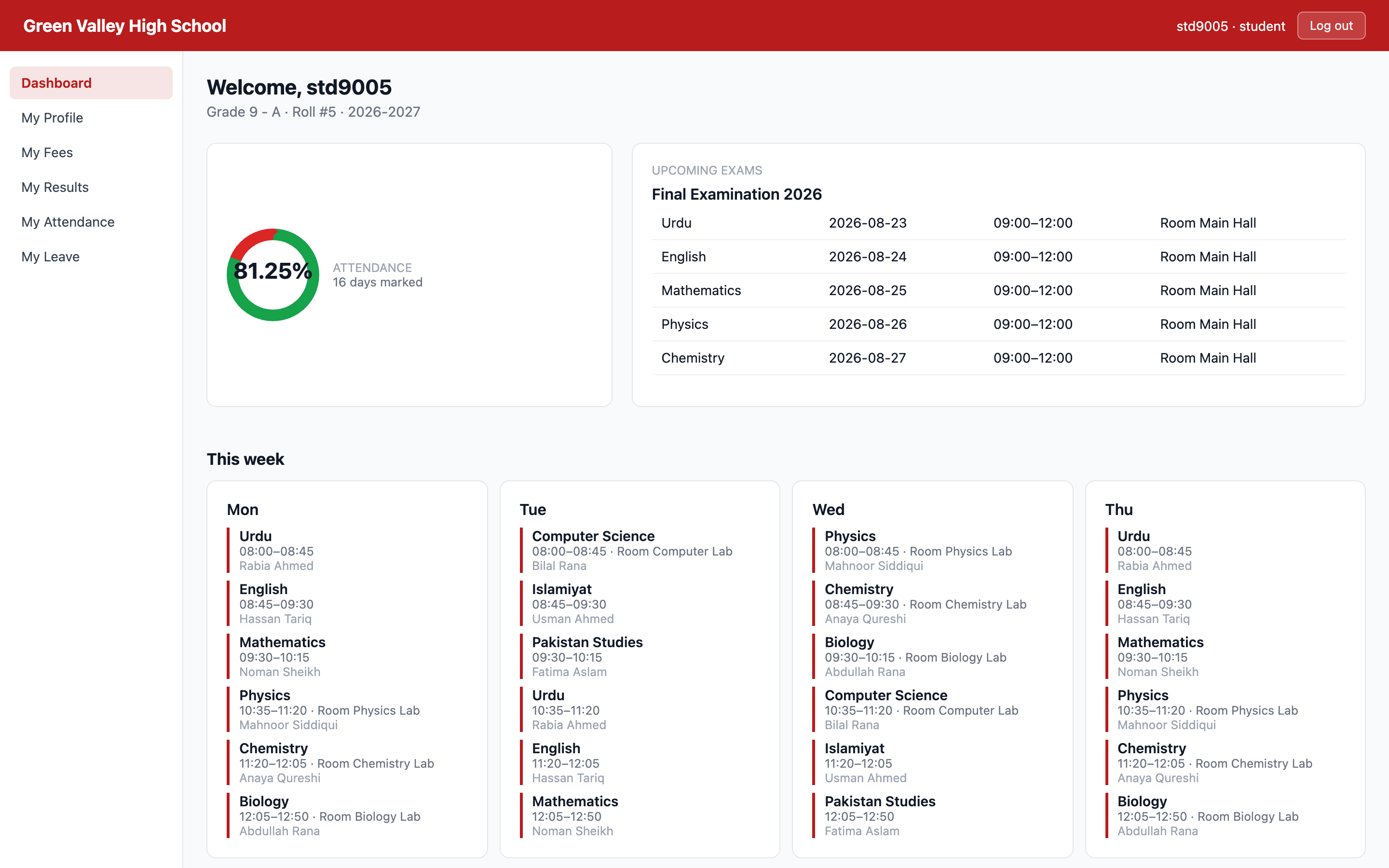
Student login
What a student sees: classes today, attendance, fees and upcoming exams.
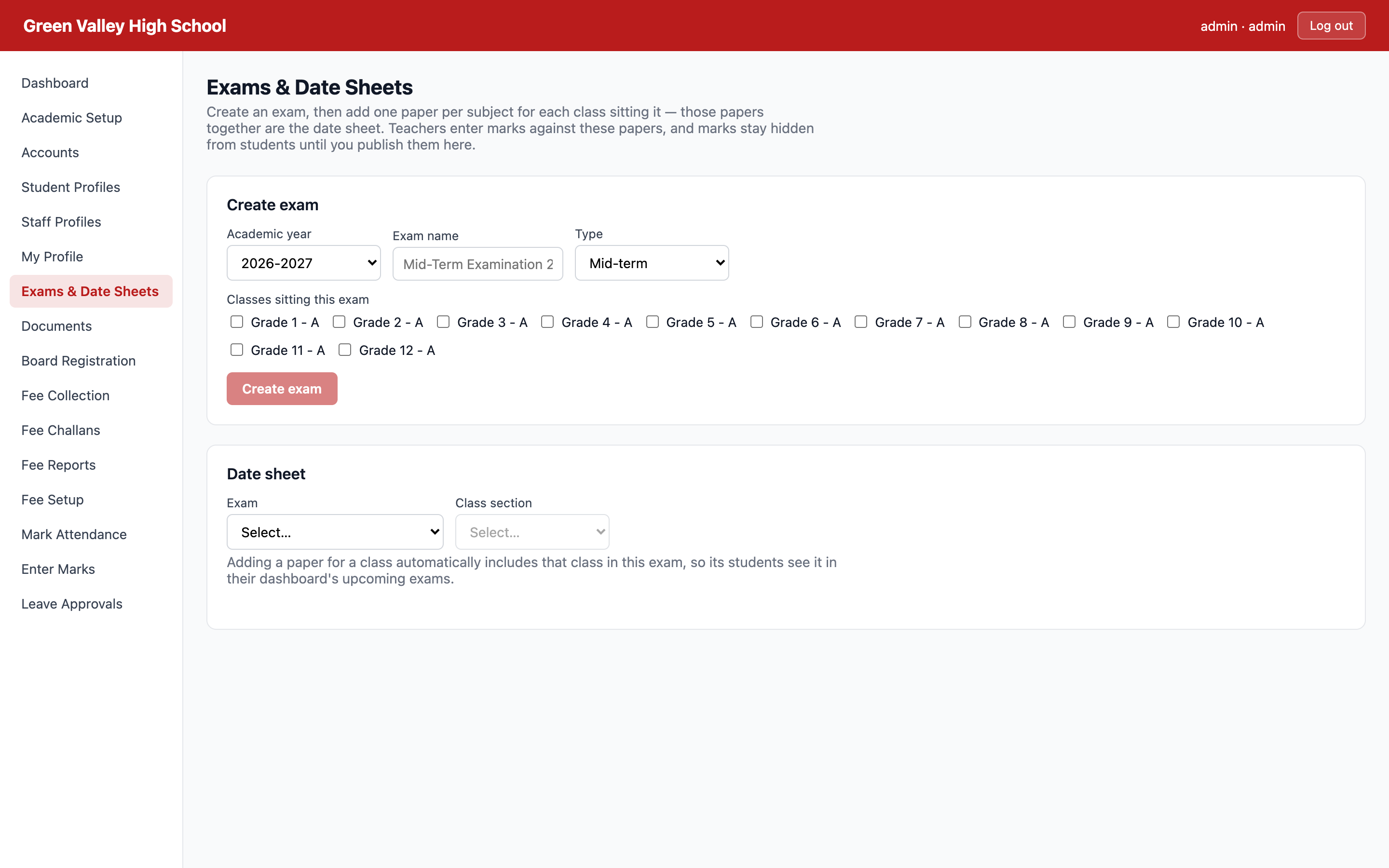
Exams & date sheets
Date sheets built with clash checking, then published as one exam.
Mark attendance
A whole class register marked in a single screen.
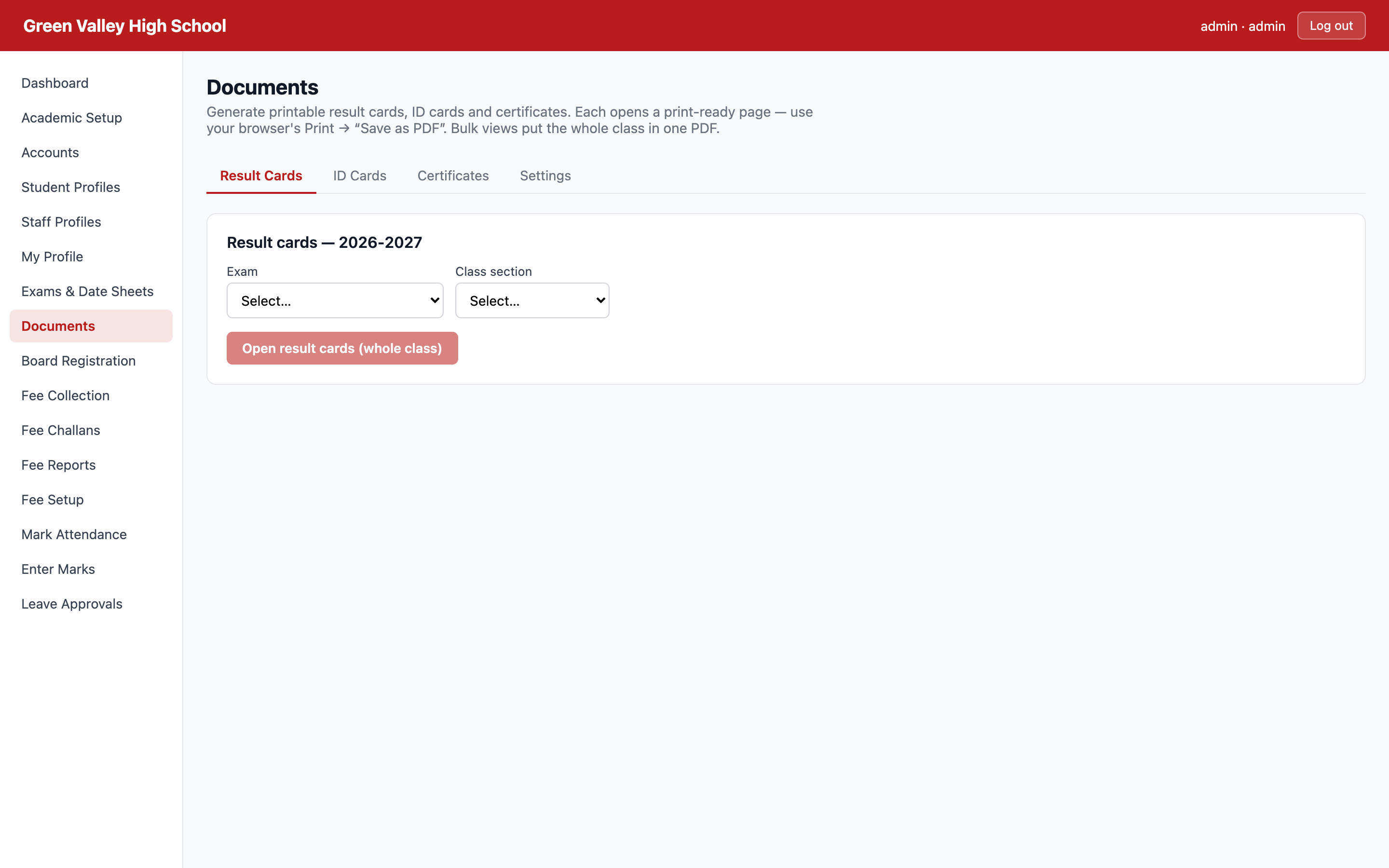
Documents
Result cards, ID cards and certificates, print-ready.
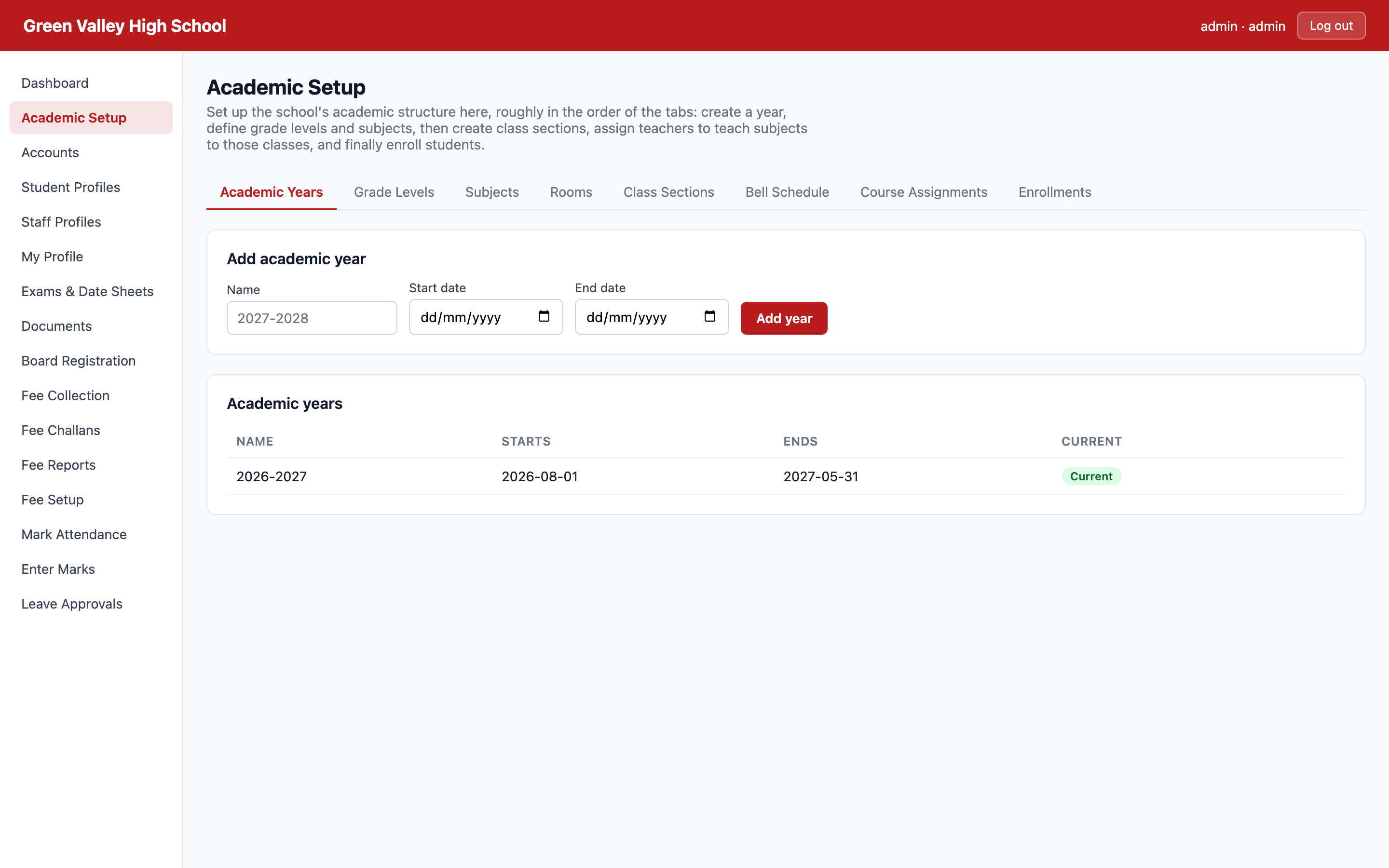
Academic setup
Grades, sections, subjects, rooms and the bell schedule.
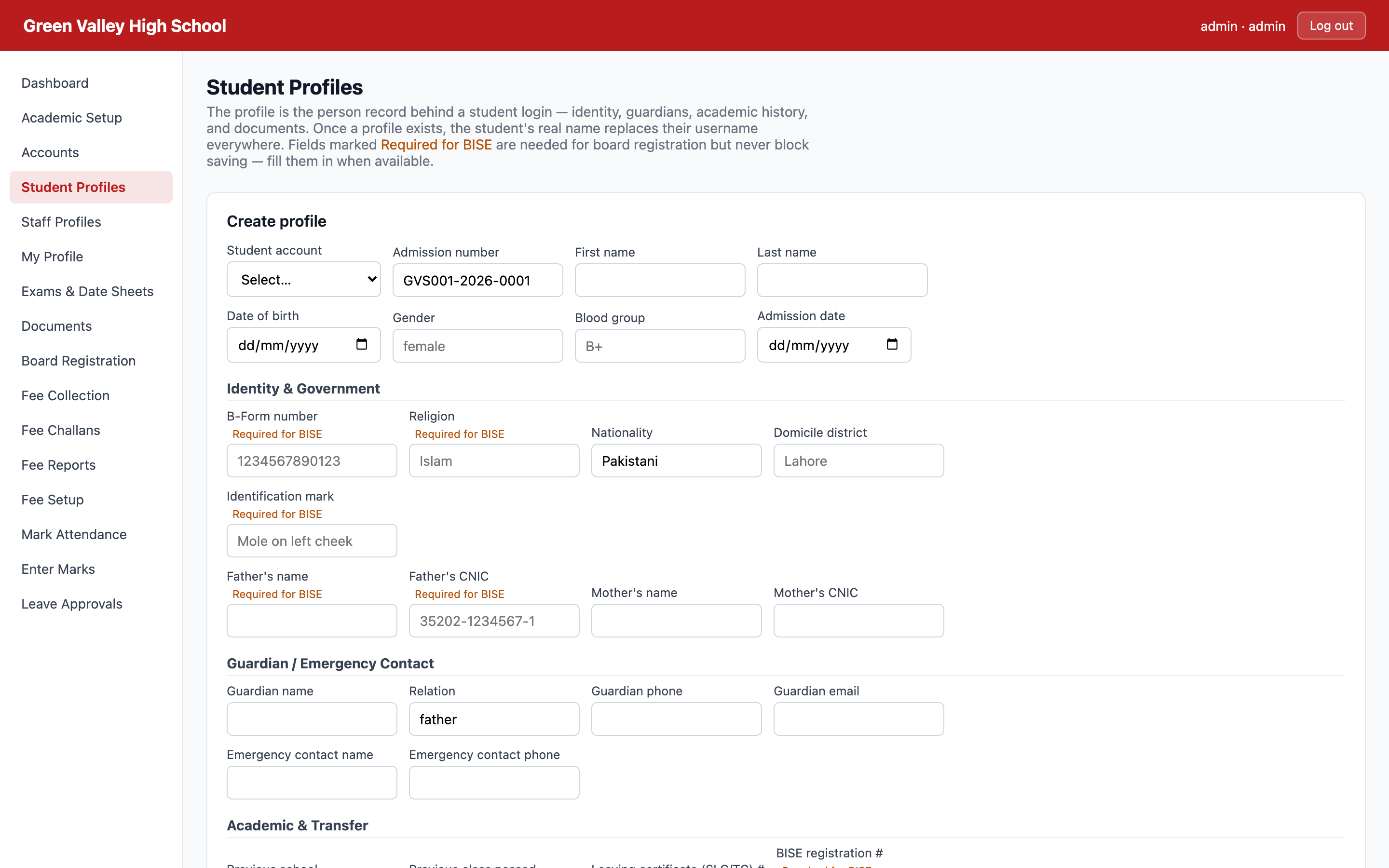
Student profiles
Searchable records — thousands of students without the browser slowing down.
Admission season
Parents compare schools before they choose one
They no longer just ask about results. They ask whether they will get a WhatsApp when the fee is due, whether they can see attendance, whether the office will find their child’s record without going through a cupboard.
The school still on registers
Parent visits the office to ask the fee
Arrears argued over at the counter
Board forms typed by hand in the last week
Result cards written out one by one
“We’ll check the register and call you back”
The school down the road on CodeNode
Challan on WhatsApp before the month starts
Statement on screen, every entry dated
Board file validated and exported in an afternoon
Result cards printed for the whole class at once
“It’s already been sent to your number”
The gap does not show up in one term. It shows up at admission, when two schools charge the same fee and only one of them feels organised.
Free demo · no obligation
Show us your fee register. We’ll show you next month in five minutes.
We’ll set up your grades and your fee structure on a call, bill a real class in front of you, and send a challan to your own WhatsApp. If it isn’t obviously faster than what you do now, we’ve wasted twenty minutes and nothing else.